ProductsDesigner logo
  • Home
  • Our Solutions
    • DesignLab Customization

    • Theme Customization

    • Shopify Store Migration

    • Product Setup

    • ClipArt Design & Management
  • Apps
  • Success Stories
  • Resources
    • Blog

    • Webinars

    • Industry Insights
Explore AppsFree Consultation
ProductsDesigner logo
no icon

Products Designer is your all-in-one platform for launching and scaling personalized product businesses.

Email Us:info@productsdesigner.com
Solutions
  • DesignLab Customization
  • Theme Customization
  • Shopify Store Migration
  • Product Setup
  • ClipArt Design & Management
Resources
  • Blog
  • Webinars
  • Industry Insights
  • Free Consultant
  • About us
  • Contact
Products
  • InkyBayInkyBay
  • JewelsLabJewelsLab

© 2026 Products Designer. All rights reserved

Terms & Conditions・Privacy Policy
Products Designer Products Designer Products Designer Products Designer

Adding Custom Products

Adding a customized product in Inkybay.

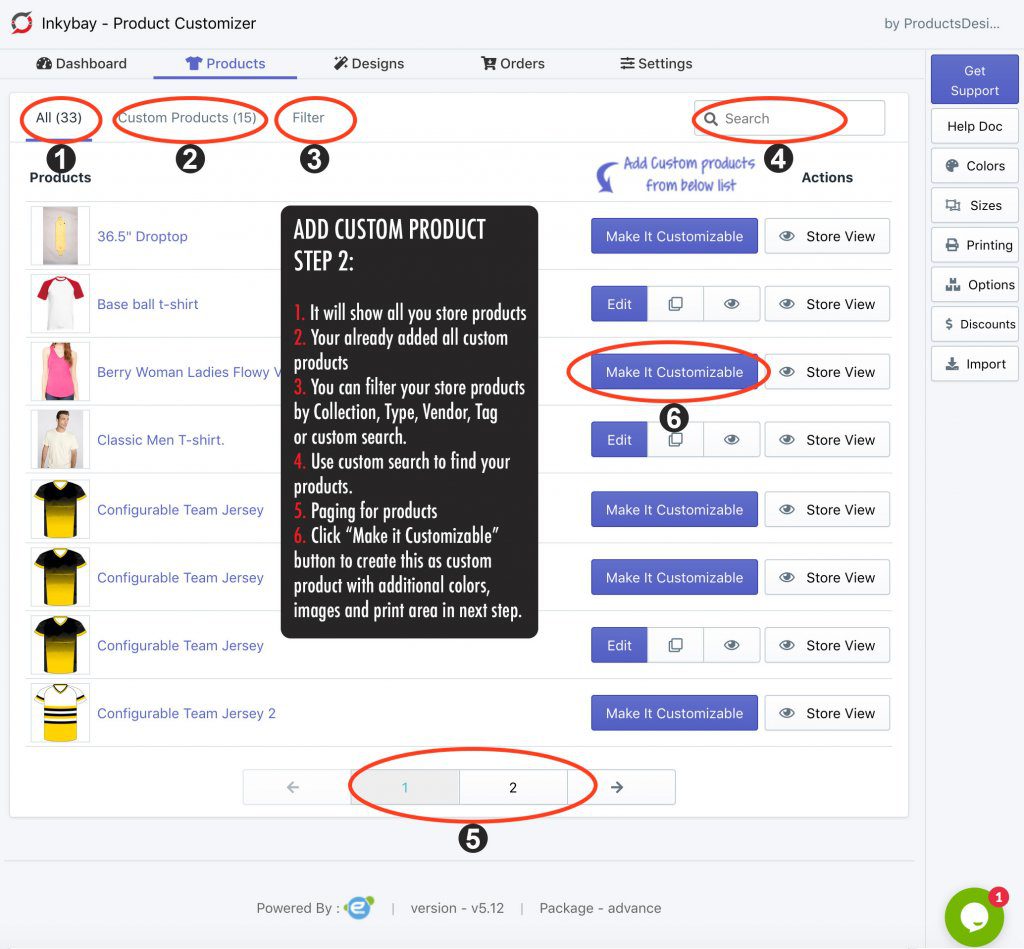
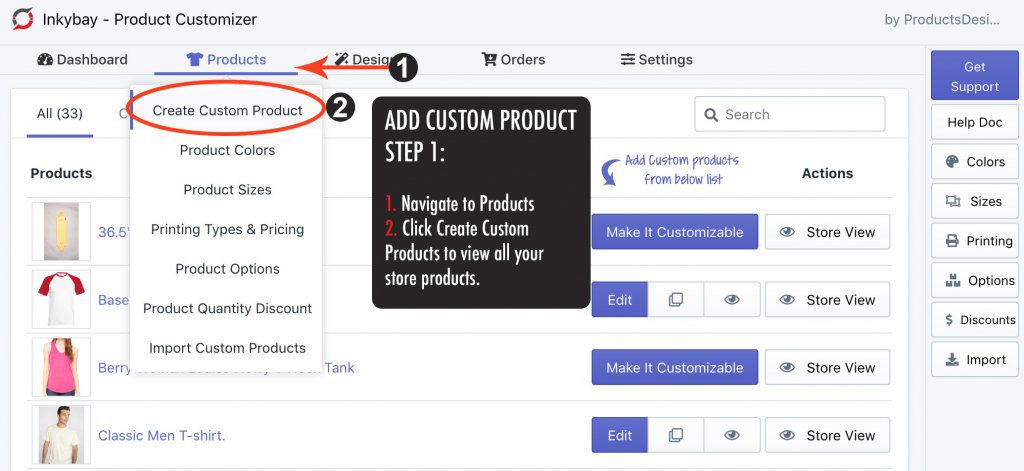
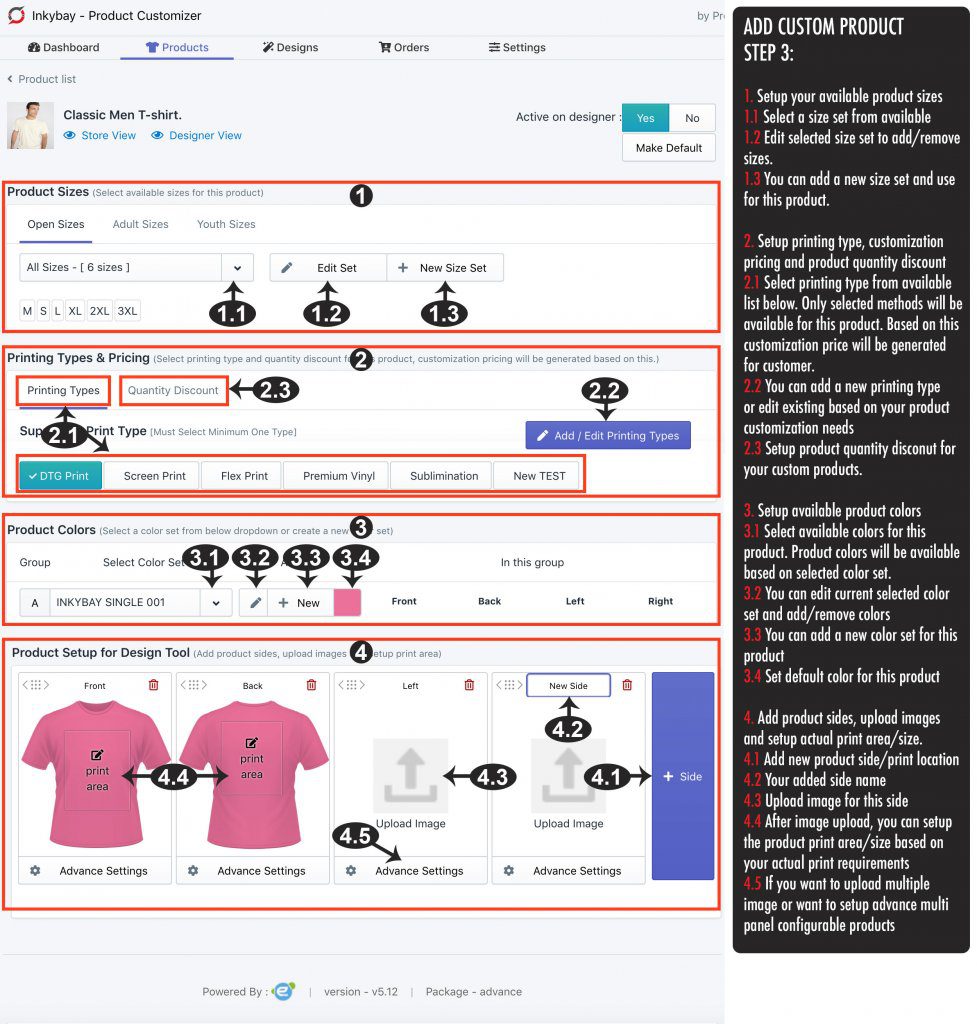
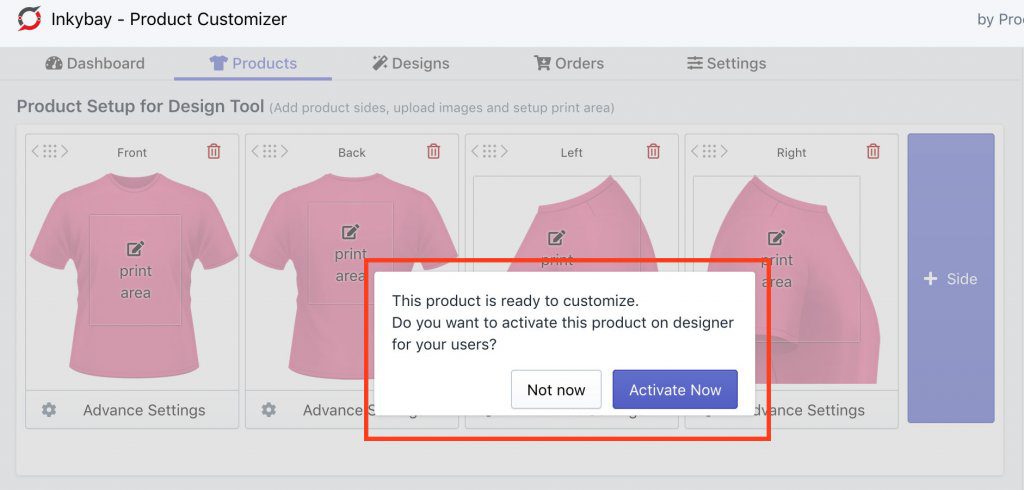
  STEP 1: Creating custom products in Inkybay   STEP 2: Create custom product with filtering Create a custom product with filtering STEP 3: Add personalized product with color, size and images Add personalized product with color, size, and images STEP 4:
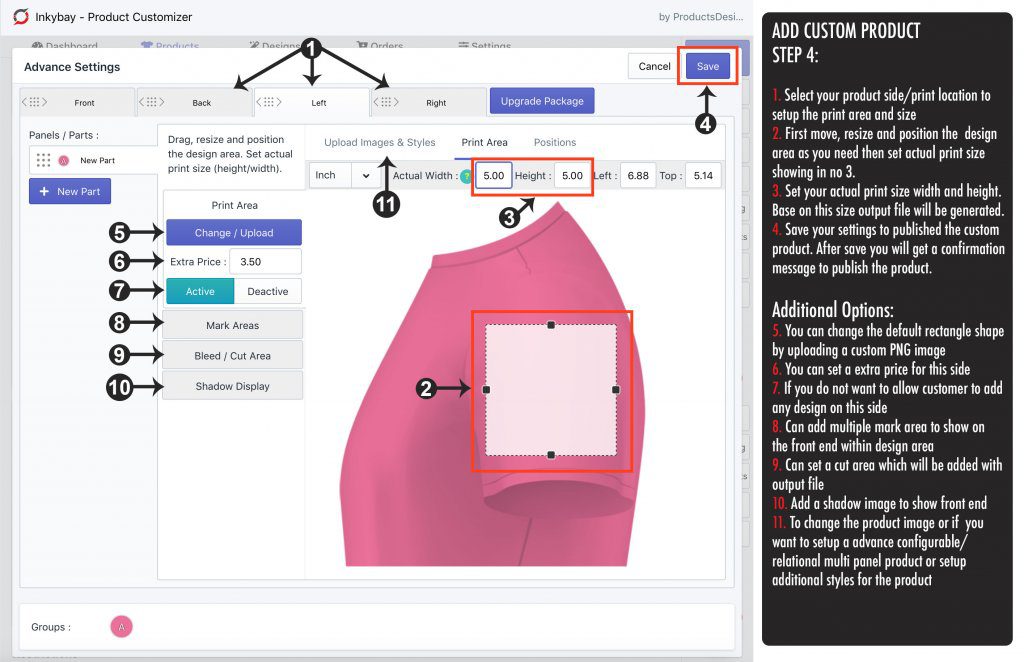
Add custom product - Setup print area Add a custom product - Setup print area STEP 5: Publish custom product Publish added custom product   Still, if you face any further issues or need help, feel free to contact us. Our support team will be happy to help you. You can always reach us via
  1. Support ticket from Inkybay app
  2. Live Chat in Inkybay app
  3. Direct email to support@productsdesigner.com
So, Good Luck! And happy selling with Inkybay.